
How to Rediscover Your Overlooked Gmail Accounts: A Complete Guide to Finding Your Forgotten Email Addresses

Have you ever had that nagging feeling that you created a Gmail account years ago but can't quite remember the details? Maybe it was for a specific project, an online course, or perhaps you made one during college that's now floating somewhere in the digital ether. Trust me, you're not alone in this predicament.
I've been there myself. A few months ago, I discovered I had not one, not two, but four Gmail accounts I had completely forgotten about. Some dated back over a decade, containing old photos, important receipts, and even subscription services still charging my old payment methods. The experience was eye-opening and prompted me to write this comprehensive guide.
In today's digital age, it's remarkably easy to accumulate multiple email accounts. We create them for various purposes—signing up for services, separating work from personal life, or simply because we forgot we already had one. Over time, these accounts slip from our memory, but they don't disappear. They remain active, potentially holding valuable information or, worse, becoming security vulnerabilities.
This guide will walk you through every method I know to rediscover your overlooked Gmail accounts. Whether you're trying to recover precious memories, consolidate your digital presence, or simply practice good digital hygiene, I've got you covered.
Why Do We Create and Forget Gmail Accounts?
Before diving into the recovery methods, let's understand why this happens so frequently. Recognizing these patterns might help jog your memory about accounts you may have created.
Common Reasons for Creating Multiple Gmail Accounts
- Educational purposes: Schools and universities often require separate email addresses for course registrations
- Job applications: Creating a "professional" email address separate from your personal one
- Online shopping: Making accounts to avoid spam in your primary inbox
- Gaming and apps: Setting up accounts for specific games or applications
- Testing purposes: Developers and marketers often create test accounts
- Privacy concerns: Using alternate emails for forums or websites you don't fully trust
- Freelance work: Separate accounts for different business ventures or clients
- Social media: Creating new accounts for platforms that require email verification
The problem isn't creating these accounts—it's that life moves on, passwords get forgotten, and these digital identities fade from memory. But they're still out there, and finding them is often easier than you might think.
Method 1: Using Google's Account Recovery Tools
Google provides several built-in tools specifically designed to help you find and recover accounts. This should be your first stop in the search for overlooked Gmail accounts.
The Phone Number Method
If you've used the same phone number over the years (which many of us have), this is perhaps the most effective method:
- Go to accounts.google.com/signin/recovery
- Click on "Forgot email?"
- Enter your phone number that might be associated with the account
- Google will show you all accounts linked to that number (with partial email addresses visible)
- Select the account you want to recover and follow the verification steps
This method has helped me discover two accounts I had completely forgotten about. The partial email addresses Google shows are usually enough to trigger your memory about when and why you created them.

The Recovery Email Method
Your current Gmail account might be the recovery email for forgotten accounts:
- Search your current Gmail inbox for emails from "Google" or "Gmail"
- Look for phrases like "security alert," "new sign-in," or "recovery email"
- These notifications often contain the email addresses of your other accounts
- Use the account recovery page with any addresses you find
Using Google's Find My Account Feature
There's a lesser-known feature where you can search by name:
- Visit the Google sign-in page
- Click "Forgot email?"
- Enter your full name and any recovery information you might have used
- Google will attempt to match this with existing accounts
Method 2: Check Your Browser's Saved Passwords
Your web browser has likely been silently cataloging your digital life. Here's how to access this goldmine of information.
Google Chrome
- Open Chrome and go to passwords.google.com or type chrome://settings/passwords
- Sign in with your primary Google account if prompted
- Search for "google" or "gmail" in the search bar
- Review all saved credentials—you might find accounts you forgot existed
Mozilla Firefox
- Click the menu button and select "Passwords"
- Search for "google.com" or "gmail.com"
- Review the list of saved logins
Safari (Mac and iOS)
- Go to Safari → Preferences → Passwords (Mac) or Settings → Passwords (iOS)
- Authenticate with your device password or biometrics
- Search for Google-related entries
Microsoft Edge
- Navigate to edge://settings/passwords
- Search for Gmail or Google entries
- Export the list if needed for easier review
I discovered one of my oldest Gmail accounts through Chrome's password manager. It was an account I created in 2009 for a high school project—completely forgotten until I saw it saved there with its original password.
Method 3: Search Your Existing Email Accounts
Your active email accounts contain a treasure trove of clues about your forgotten Gmail accounts.
Strategic Search Terms to Use
Open your current Gmail (and any other email accounts you use) and search for these terms:
- "Welcome to Gmail" - The original sign-up confirmation
- "Your Google Account" - Various Google notifications
- "security alert" from:google - Security notifications that might mention other accounts
- "verify your email" - Account verification emails
- "forwarding confirmation" - If you set up email forwarding
- "added as recovery" - When your email was added as a recovery option
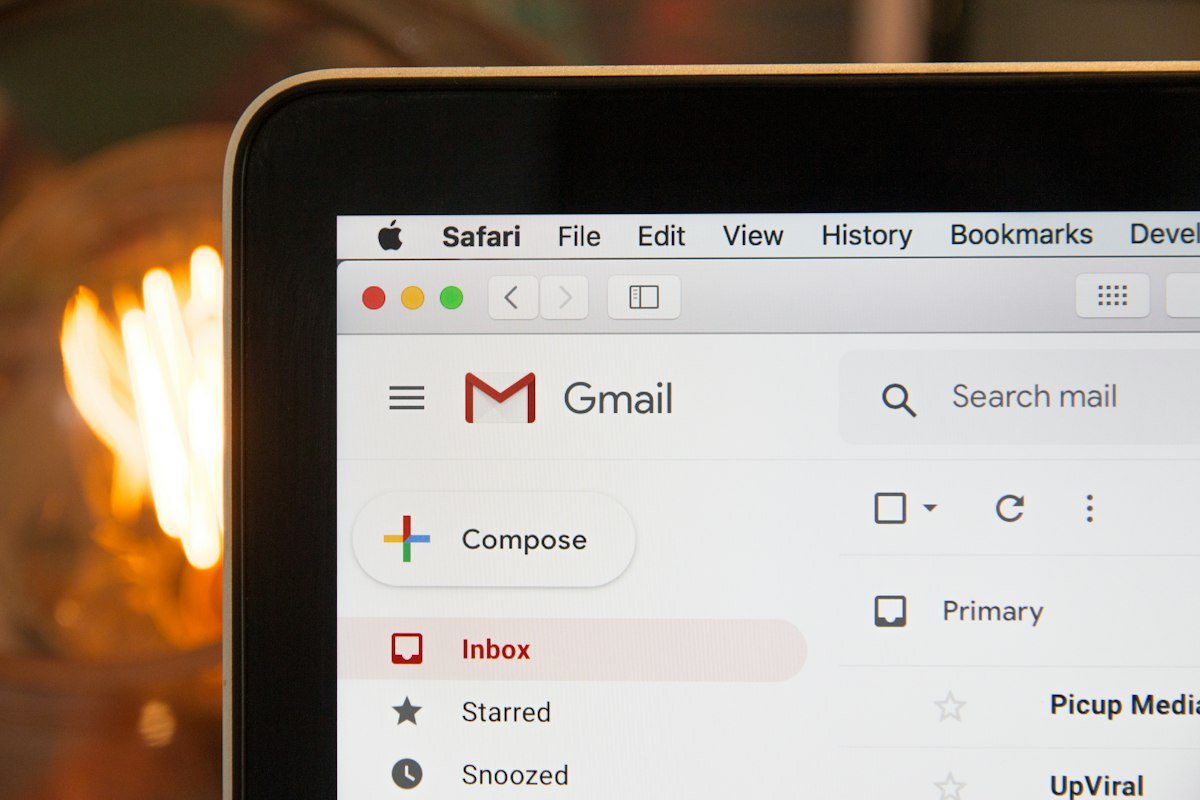
Check Your "Sent" Folder
Don't forget to search your Sent folder. You might have emailed yourself from another account, sent documents between accounts, or communicated with someone using a different Gmail address.
Method 4: Examine Your Devices
Your smartphones, tablets, and computers often retain information about accounts you've logged into.
Android Devices
- Go to Settings → Accounts (or Users & Accounts)
- Look for all Google accounts listed
- Check any old Android phones or tablets you might still have
iOS Devices
- Navigate to Settings → Mail → Accounts
- Review all Gmail accounts added
- Also check Settings → Passwords for saved credentials
Desktop Computers
- Check for Google Chrome profiles—each might have different accounts
- Look at any email clients like Outlook, Thunderbird, or Apple Mail
- Review your computer's credential manager (Keychain on Mac, Credential Manager on Windows)
Old Devices
If you still have old phones, tablets, or laptops stored away, power them up if possible. These devices often contain logged-in accounts or saved passwords from years ago. I found an old Android phone in a drawer that was still logged into a Gmail account from 2012!
Method 5: Check Third-Party Services and Apps
Many websites and services allow you to sign in with Google. Checking these platforms can reveal forgotten Gmail accounts.
Services to Check
- YouTube: You might have created a channel with a different Gmail account
- Google Play Store: Check purchase history on different accounts
- Social media platforms: Facebook, Twitter, LinkedIn—which Google accounts are linked?
- Cloud storage: Dropbox, OneDrive, iCloud alternatives
- Online shopping: Amazon, eBay, Etsy accounts
- Streaming services: Netflix, Spotify, Hulu
- Gaming platforms: Steam, Epic Games, PlayStation Network
How to Find Linked Accounts
- Visit the login page of services you use or used to use
- Click "Forgot password" or "Forgot email"
- Enter your phone number or name
- The service might reveal which email address is associated with your account
Method 6: Review Physical Records and Old Documents
Sometimes, going analog is the best digital solution.
Places to Check
- Old notebooks or journals: Many of us wrote down passwords and usernames
- Business cards: Especially if you created professional email addresses
- Resumes and job applications: These often list contact email addresses
- School or college records: Registration forms might have required email addresses
- Printed receipts: Online purchase confirmations you printed out
- Old planners or calendars: Notes about account creation
Method 7: Use Google Takeout from Known Accounts
If you have access to any Gmail account, Google Takeout can provide insights about connected accounts.
- Visit takeout.google.com
- Select "Mail" and other relevant data
- Download and search through your data for mentions of other email addresses
- Look for forwarding rules, filters, or contact lists that might reference other accounts
Comparison: Account Recovery Methods
| Method | Effectiveness | Difficulty | Time Required | Best For |
|---|---|---|---|---|
| Google Recovery Tools | Very High | Easy | 5-10 minutes | Accounts with phone/recovery email |
| Browser Passwords | High | Very Easy | 2-5 minutes | Recently used accounts |
| Email Search | High | Easy | 15-30 minutes | Accounts linked to current email |
| Device Inspection | Medium-High | Easy | 10-20 minutes | Accounts on personal devices |
| Third-Party Services | Medium | Moderate | 30-60 minutes | Accounts used for sign-ups |
| Physical Records | Low-Medium | Moderate | Varies | Very old accounts |
What to Do After Finding Your Overlooked Gmail Accounts
Congratulations! You've found some of your forgotten accounts. Now what? Here's a checklist of actions to take.
Immediate Security Steps
- Change the password immediately to something strong and unique
- Enable two-factor authentication (2FA) for added security
- Review recent account activity for any suspicious behavior
- Check connected apps and services and remove any you don't recognize
- Update recovery information with current phone number and email
Content Review
- Download important emails and attachments before making any decisions
- Check Google Photos, Drive, and other services linked to the account
- Review any subscriptions that might still be active
- Export contacts that might be useful

Decide the Account's Fate
You have three main options:
- Keep and actively use: If the account has value or a good username
- Keep as backup: Maintain it with updated security settings
- Delete the account: If it serves no purpose and poses a security risk
How to Properly Delete Unwanted Gmail Accounts
If you've decided to delete an account, here's how to do it safely:
- First, download all your data using Google Takeout
- Transfer any important emails or files to your primary account
- Update any services still using this email address
- Go to myaccount.google.com
- Navigate to Data & Privacy → Delete your Google Account
- Follow the prompts carefully—this action is irreversible
Preventing Future Account Accumulation
Learning from this experience, here are strategies to prevent losing track of accounts again.
Use a Password Manager
Password managers like LastPass, 1Password, Bitwarden, or Dashlane not only store your passwords securely but also keep a record of all accounts you create. This is perhaps the single best investment for digital organization.
Create an Email Alias System
Instead of creating new Gmail accounts, use Gmail's built-in plus addressing feature:
- yourname+shopping@gmail.com
- yourname+newsletters@gmail.com
- yourname+gaming@gmail.com
All these addresses deliver to your main inbox but can be filtered and organized.
Maintain a Digital Inventory
Keep a simple document (secured, of course) that lists:
- All email accounts you've created
- Their purposes
- Associated phone numbers
- Recovery email addresses
- Date created
The Security Implications of Forgotten Accounts
Beyond the inconvenience, forgotten Gmail accounts can pose serious security risks.
Why Old Accounts Are Vulnerable
- Outdated passwords: Old accounts often have weak, reused passwords from before you knew better
- Missing 2FA: Two-factor authentication wasn't always common
- Forgotten recovery info: Old phone numbers or recovery emails you no longer control
- Data exposure: Old emails might contain sensitive information you've forgotten about
- Identity theft risk: Someone gaining access could impersonate you or access linked services
Signs Your Old Account May Have Been Compromised
- Emails in "Sent" folder you didn't write
- Unknown devices in login history
- Changed account settings
- Missing emails that appear to have been deleted
- New filters or forwarding rules you didn't create
Frequently Asked Questions
Can Google help me find all accounts registered to my name?
Google doesn't provide a direct service to list all accounts under your name, primarily for privacy reasons. However, using the phone number recovery method will show accounts linked to that specific number. You'll need to use multiple methods (phone numbers, recovery emails, device checks) to find all your accounts comprehensively.
What happens to Gmail accounts that remain inactive for a long time?
According to Google's inactive account policies, accounts that haven't been used for two years may be deleted, along with all their content. However, this policy has been implemented gradually, and many older inactive accounts still exist. Google typically sends warning emails before deletion, but if you don't have access to the account, you won't see these warnings. This is another reason to recover your accounts sooner rather than later.
Can I recover a Gmail account if I no longer have access to the recovery phone or email?
Yes, but it's more challenging. Google provides alternative verification methods, including answering security questions (if you set them up), identifying the month and year you created the account, or verifying from a device you've previously used. The more information you can provide that matches what Google has on file, the better your chances of recovery.
Is it possible to merge two Gmail accounts into one?
Unfortunately, Google doesn't offer a direct merge feature for Gmail accounts. However, you can set up email forwarding from old accounts to your primary one, import contacts and calendar events, and use Google Takeout to transfer files from Google Drive. It's a manual process, but it effectively consolidates your digital life into one account.
How many Gmail accounts am I allowed to have?
There's no official limit to how many Gmail accounts you can create. However, Google does have systems in place to prevent abuse, such as requiring phone verification and limiting how many accounts can be created from the same phone number or IP address in a short period. For most personal users, having multiple legitimate accounts is perfectly acceptable.
Will deleting an old Gmail account affect my other Google services?
Yes, deleting a Gmail account deletes the entire Google account associated with it. This includes Google Photos, Google Drive, YouTube channels, Google Play purchases, and any other Google services tied to that account. Before deletion, make sure to transfer or download anything important using Google Takeout.
Can someone else have claimed my old Gmail username if I let the account go inactive?
No, even if your Gmail account is deleted due to inactivity, the username is permanently retired and cannot be registered by anyone else, including you. This is a security measure to prevent impersonation and confusion.
Conclusion: Taking Control of Your Digital Identity
Rediscovering your overlooked Gmail accounts is more than just a digital housekeeping exercise—it's an important step in taking control of your online identity and security. In an age where our digital footprints are increasingly significant, knowing exactly what accounts exist in your name is crucial.
I hope this guide has given you practical tools to find those forgotten accounts. Remember, the methods I've outlined work best when used in combination. Start with Google's official recovery tools, then move on to checking your browsers and devices, and finally dig through your email archives and physical records.
Once you've found your accounts, take immediate action to secure them—even if you plan to delete them later. Update passwords, enable two-factor authentication, and review any sensitive information they might contain.
Moving forward, I encourage you to maintain better digital hygiene. Use a password manager, document your accounts, and regularly review your digital presence. Your future self will thank you for it.
Have you discovered any surprising Gmail accounts using these methods? I'd love to hear about your experiences in the comments below. And if you found this guide helpful, consider sharing it with others who might be dealing with the same digital clutter.
Disclosure
This article is for informational purposes only. The methods described are based on publicly available Google features and general digital security practices as of the publication date. Google's interfaces and policies may change over time. Always refer to Google's official support documentation for the most current information. This content does not constitute professional security advice. If you suspect your accounts have been compromised, consider consulting with a cybersecurity professional.