
To Buy Best Laptop In 2024-2025.
How to Buy the Best Laptop in 2025: Your Ultimate Guide to Making the Right Choice

You know that feeling when you're staring at dozens of laptop listings, each one promising to be "the best," and you just feel completely overwhelmed? Trust me, I've been there. The laptop market in 2025 has become incredibly competitive, with manufacturers throwing around specifications and buzzwords that can make even tech-savvy folks scratch their heads.
Here's the thing — buying a laptop isn't just about picking the one with the highest numbers on the spec sheet. I've seen people spend a fortune on gaming laptops they only use for spreadsheets, and students struggling with underpowered machines that can barely handle video calls. The "best" laptop isn't universal; it's deeply personal and depends entirely on what you actually need it for.
I've spent years testing, reviewing, and recommending laptops to friends, family, and readers. Through countless conversations and my own purchasing mistakes (we don't talk about that 2019 impulse buy), I've developed a pretty solid framework for choosing the right laptop. Let me walk you through everything you need to know to make an informed decision in 2025 — without the jargon overload or sales pressure.
Why Buying a Laptop in 2025 is Different
The laptop landscape has shifted dramatically over the past couple of years. We're seeing some exciting changes that make this an interesting time to buy, but also a potentially confusing one if you're not paying attention.
First off, the processor wars have intensified. Apple's M-series chips have pushed Intel and AMD to step up their game significantly. We're now seeing Windows laptops that can genuinely compete with MacBooks on efficiency and performance — something that seemed unlikely just three years ago. The result? Better options across all price ranges.
Battery life has improved dramatically across the board. Where we once considered 8 hours of battery life impressive, many laptops now push 12-15 hours on a single charge. For students and professionals who are constantly on the move, this is genuinely transformative.
AI features are becoming standard. Whether you find them useful or gimmicky, expect to see AI-powered tools for image editing, writing assistance, and system optimization built into most 2025 laptops. Some processors now include dedicated AI cores, which will become increasingly relevant as more applications leverage these capabilities.
The lines between categories are blurring too. Gaming laptops have become sleek enough for boardrooms. Ultrabooks have become powerful enough for content creation. This overlap means more choices, but it also means you need to be clearer about your priorities.
Understanding Your Actual Needs

Before we dive into specifications and recommendations, let's get honest about something most buying guides skip — understanding what you actually need versus what marketing has convinced you to want.
The Honest Questions to Ask Yourself
What will you primarily use this laptop for? And I mean primarily — not occasionally, not "maybe someday." Be realistic. If 90% of your usage is web browsing, email, and Netflix, you don't need a $2,000 machine no matter how cool it looks.
Where will you use it? A laptop that lives on your desk has different requirements than one that travels with you daily. Weight, battery life, and durability become crucial for road warriors, while someone with a home setup might prioritize screen size and port selection.
How long do you plan to keep it? This affects how much you should invest upfront. Planning to upgrade in 2-3 years? A mid-range option makes sense. Hoping for 5+ years of service? Investing in higher-end components pays off over time.
What's your honest budget? And I don't mean the maximum you could technically spend — I mean the amount that won't cause financial stress. A good laptop doesn't have to break the bank, and overspending rarely translates to proportionally better experiences for average users.
Common Use Case Categories
Basic Users: Web browsing, email, streaming, office documents. You'd be surprised how many people fall into this category and don't realize it. If this is you, most laptops above $400 / ₹35,000 will serve you well.
Students: Similar to basic users, but with emphasis on portability, battery life, and durability. You'll also want something that handles video conferencing smoothly for online classes.
Business Professionals: Reliability, professional appearance, good keyboard, security features, and enough power for multitasking across multiple applications.
Content Creators: High-resolution display with accurate colors, powerful processor, substantial RAM, and dedicated graphics for video editing, photo editing, or design work.
Gamers: Dedicated graphics card, high refresh rate display, good cooling system, and sufficient storage for game libraries. Be honest about what games you play — competitive esports titles have different requirements than AAA single-player games.
Software Developers: Strong processor, ample RAM, fast storage, good keyboard, and potentially multiple monitor support. Linux compatibility might also be a consideration.
Key Specifications Decoded
Let me break down the specifications that actually matter, without drowning you in technical jargon. I'll tell you what to look for and when to care about each spec.
Processor (CPU): The Brain of Your Laptop
The processor is arguably the most important component, and it's also where marketing gets most confusing. In 2025, you're primarily choosing between Intel, AMD, and Apple (for Macs).
Intel: The current generation is Intel Core Ultra (codename Meteor Lake and Arrow Lake). These chips include integrated NPUs (Neural Processing Units) for AI tasks. For most users, Core Ultra 5 provides excellent performance. Core Ultra 7 and Ultra 9 are for power users and professionals.
AMD: Ryzen 8000 series chips compete directly with Intel and often offer better battery efficiency. Ryzen 5 8000 is great for most users, while Ryzen 7 and Ryzen 9 variants target demanding workloads.
Apple: M3, M3 Pro, and M3 Max chips power current MacBooks. The base M3 handles everything most users need. M3 Pro and Max are for professional creative work.
My honest take? Unless you're doing heavy video editing, 3D rendering, or running complex software, a mid-tier processor (Core Ultra 5, Ryzen 5, or base M3) will serve you beautifully for years.
RAM: Your Multitasking Capacity
RAM determines how many applications you can run simultaneously without slowdowns. Here's my practical guidance for 2025:
- 8GB: Minimum for comfortable basic use. Works fine for web browsing and light office work, but you'll feel limitations with heavy multitasking.
- 16GB: The sweet spot for most users. Handles everything from casual use to moderate content creation and gaming comfortably.
- 32GB: For professionals working with video editing, 3D modeling, virtual machines, or heavy development work.
- 64GB+: Specialized professional needs only. If you need this, you probably already know it.
Important note: Many modern laptops have soldered RAM that cannot be upgraded later. If you're unsure, lean toward more RAM than you think you need.
Storage: Speed and Space
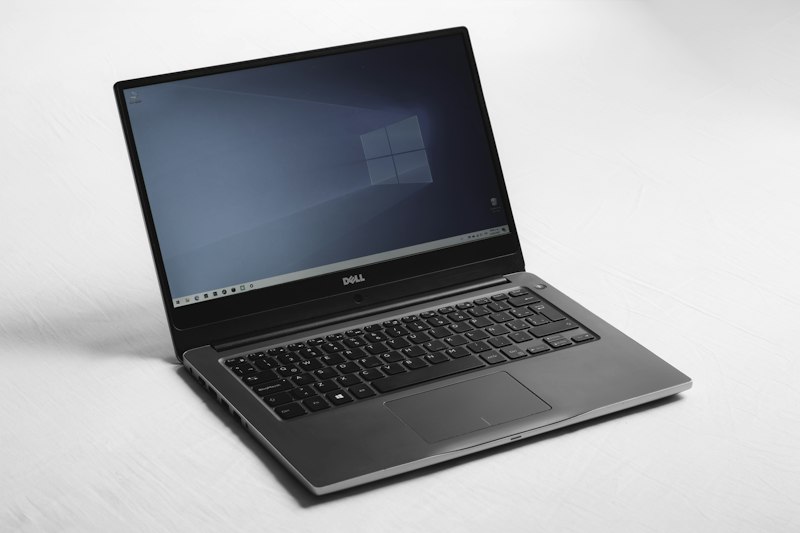
SSDs (Solid State Drives) are standard in 2025 — if you see a laptop with an HDD, run away unless it's specifically for mass storage alongside an SSD.
256GB: Bare minimum. Works if you rely heavily on cloud storage and don't keep much locally.
512GB: Comfortable for most users. Enough for the operating system, applications, and a reasonable document/photo library.
1TB: Ideal for anyone who stores media locally, plays games, or works with large files. This is becoming the new standard for mid-range and above.
2TB+: For content creators, gamers with large libraries, or anyone who wants years of storage without worrying.
NVMe SSDs are significantly faster than SATA SSDs. Most new laptops use NVMe, but it's worth confirming, especially in budget models.
Display: What You'll Stare At Daily
Your display is your window into everything you do. It matters more than most people realize.
Resolution: 1920x1080 (Full HD) is the minimum acceptable standard. 2560x1440 (QHD) offers a nice upgrade for productivity. 4K looks stunning but drains battery faster and may be overkill on smaller screens.
Panel Type: IPS panels offer good color accuracy and viewing angles — they're the standard for most quality laptops. OLED panels provide incredible contrast and vibrant colors, excellent for media consumption and creative work but can be prone to burn-in with static content.
Refresh Rate: 60Hz is fine for everyday tasks. 120Hz or 144Hz makes everything feel smoother and is essential for gaming. Some laptops now offer 240Hz for competitive gamers.
Brightness: Look for at least 300 nits for indoor use. If you'll work outdoors or near windows, 400+ nits is preferable.
Color Accuracy: If you're doing professional photo or video work, look for 100% sRGB coverage at minimum, with DCI-P3 coverage being even better.
Battery Life: Real-World Expectations
Manufacturer claims about battery life are almost always optimistic. They're tested under ideal conditions that don't match real usage. My rule of thumb: expect about 70-80% of advertised battery life in practice.
For true all-day portability, look for laptops advertising 12+ hours. This typically translates to 8-10 hours of actual mixed usage — enough for a workday away from the charger.
Keep in mind that battery life varies dramatically based on what you're doing. Web browsing and document work are gentle on batteries. Video playback is moderate. Gaming or video rendering will demolish any battery in a couple of hours.
Graphics: Integrated vs. Dedicated
This is where many buyers get confused. Let me simplify.
Integrated Graphics: Built into the processor. Modern integrated graphics (Intel Iris Xe, AMD Radeon, Apple's unified GPU) are surprisingly capable. They handle casual gaming, basic photo editing, and everyday tasks perfectly well. Most users don't need anything more.
Dedicated Graphics (dGPU): Separate graphics card, usually from NVIDIA (GeForce RTX series) or AMD (Radeon RX series). Required for serious gaming, video editing, 3D work, and machine learning applications.
The honest truth? If you're not gaming seriously, doing professional creative work, or running specialized GPU-accelerated software, integrated graphics will serve you fine and save you money.
Top Laptop Recommendations for 2025
Let me share my recommendations across different categories and budgets. I've chosen laptops that offer the best value and real-world performance based on current market conditions.
Best Budget Laptops (Under $600 / ₹50,000)
Acer Aspire 5 (2024/2025): This is my go-to recommendation for budget buyers. It offers a solid build, decent display, and enough power for everyday computing. The AMD Ryzen 5 variant offers particularly good value.
Price: Starting at $499 / ₹42,000 (approximately)
Lenovo IdeaPad Slim 3: Another excellent budget option with good battery life and a reliable keyboard. The Intel Core i5 version handles office work beautifully.
Price: Starting at $449 / ₹38,000 (approximately)
HP Laptop 15: Basic but reliable. HP's budget line has improved significantly, offering respectable performance for students and basic users.
Price: Starting at $399 / ₹34,000 (approximately)
Best Mid-Range Laptops ($600-$1200 / ₹50,000-₹1,00,000)

ASUS Vivobook S 15: This is where the Snapdragon X Elite processors make an appearance, offering incredible battery life (15+ hours in real usage) with excellent performance. Perfect for professionals who need all-day productivity.
Price: Starting at $999 / ₹85,000 (approximately)
Lenovo ThinkPad E16 Gen 2: If you want that legendary ThinkPad keyboard and business-class reliability without the premium ThinkPad pricing, this is your answer.
Price: Starting at $849 / ₹72,000 (approximately)
Dell Inspiron 16 Plus: Excellent display quality, solid build, and good performance across various configurations. The 16-inch screen is fantastic for productivity.
Price: Starting at $899 / ₹76,000 (approximately)
HP Pavilion Plus 14: A compact but powerful option with an excellent 2.8K OLED display option. Great for those who want portability without sacrificing screen quality.
Price: Starting at $799 / ₹68,000 (approximately)
Best Premium Laptops ($1200-$2000 / ₹1,00,000-₹1,70,000)
MacBook Air M3: I'll be honest — if you're in the Apple ecosystem, this is the laptop to buy. Incredible battery life, silent operation, and enough power for everything short of professional video work. It's the benchmark that Windows laptops are trying to match.
Price: Starting at $1,099 / ₹1,14,900 (approximately)
Dell XPS 14: Beautiful design, excellent display, and solid performance. The new Intel Core Ultra processors bring AI capabilities while maintaining good battery life.
Price: Starting at $1,499 / ₹1,27,000 (approximately)
Lenovo Yoga 9i: Premium 2-in-1 with spectacular OLED display, excellent speakers, and refined design. Perfect for creative professionals who want versatility.
Price: Starting at $1,399 / ₹1,19,000 (approximately)
ASUS Zenbook 14 OLED: One of the best displays you'll find at this price point, wrapped in a premium chassis with strong performance.
Price: Starting at $1,199 / ₹1,02,000 (approximately)
Best Gaming Laptops
Lenovo LOQ 15 (Budget Gaming): Entry-level gaming that actually works. RTX 4050 graphics handle most games at medium-high settings without breaking the bank.
Price: Starting at $799 / ₹68,000 (approximately)
ASUS ROG Strix G16 (Mid-Range Gaming): Excellent balance of performance and price. RTX 4060 or 4070 options handle demanding games well, with good cooling and a high-refresh display.
Price: Starting at $1,399 / ₹1,19,000 (approximately)
Razer Blade 16 (Premium Gaming): For those who want no compromises. Premium build quality, top-tier components, and a design that doesn't scream "gaming laptop."
Price: Starting at $2,699 / ₹2,29,000 (approximately)
Best for Content Creators
MacBook Pro 14" M3 Pro: Industry standard for creative work. The M3 Pro handles 4K video editing, high-resolution photo work, and music production with ease. Worth the investment if creative work is your livelihood.
Price: Starting at $1,999 / ₹1,99,900 (approximately)
ASUS ProArt Studiobook 16: Purpose-built for creators with a color-accurate display, excellent performance, and creator-focused features.
Price: Starting at $1,799 / ₹1,53,000 (approximately)
Comparison Table: Top Laptops at a Glance
| Laptop Model | Best For | Processor | RAM/Storage | Display | Starting Price (USD/INR) |
|---|---|---|---|---|---|
| Acer Aspire 5 | Budget Users | Ryzen 5 / Core i5 | 8GB / 512GB | 15.6" FHD IPS | $499 / ₹42,000 |
| ASUS Vivobook S 15 | All-Day Battery | Snapdragon X Elite | 16GB / 512GB | 15.6" 3K OLED | $999 / ₹85,000 |
| MacBook Air M3 | macOS Users | Apple M3 | 8GB / 256GB | 13.6" Liquid Retina | $1,099 / ₹1,14,900 |
| Dell XPS 14 | Premium Windows | Core Ultra 7 | 16GB / 512GB | 14.5" 3K OLED | $1,499 / ₹1,27,000 |
| ASUS ROG Strix G16 | Gaming | Core i7-14700HX | 16GB / 1TB | 16" QHD 240Hz | $1,399 / ₹1,19,000 |
| MacBook Pro 14" M3 Pro | Content Creation | Apple M3 Pro | 18GB / 512GB | 14.2" Liquid Retina XDR | $1,999 / ₹1,99,900 |
Note: Prices shown are approximate starting prices and may vary based on configuration, sales, region, and current exchange rates. Always verify current pricing before purchase.
Smart Buying Tips for 2025
Beyond choosing the right specifications, there are several strategies that can help you get the best value for your money.
Timing Your Purchase
Laptop prices fluctuate throughout the year. The best times to buy are typically during Amazon Great Indian Festival (October), Flipkart Big Billion Days (October), Black Friday/Cyber Monday (November), and back-to-school season (July-August in India, August-September in the US). You can often save 15-25% during these sales events.
Also watch for new model releases. When manufacturers launch new versions, previous-generation models often get significant discounts while still offering excellent performance.
Where to Buy
For India, Amazon.in and Flipkart are reliable options with buyer protection. Official brand stores (Dell.com/in, HP.com/in, Lenovo.com/in) sometimes offer exclusive configurations and student discounts. Croma and Reliance Digital offer the advantage of seeing the laptop in person before purchasing.
For the US, Amazon, Best Buy, and official brand websites are your best bets. B&H Photo offers no tax in most states and has good prices on professional-grade laptops.
Don't Forget Accessories
Budget for essential accessories: a good laptop bag or sleeve, perhaps an external mouse if you don't love trackpads, and potentially a USB-C hub if you need more ports. These costs add up, so factor them into your total budget.
Warranty Considerations
Standard manufacturer warranties typically cover one year. Extended warranties are often worth considering for laptops you plan to keep for several years, especially for brands with good service networks in your area. AppleCare+ for MacBooks and Dell Premium Support are generally well-regarded.

My Personal Recommendations by User Type
Let me be direct about what I'd recommend for specific situations, based on real-world experience and current market conditions.
For Students
- Tight Budget: Acer Aspire 5 or Lenovo IdeaPad Slim 3 — reliable and affordable
- Moderate Budget: ASUS Vivobook S 15 — exceptional battery life means you'll actually make it through a full day of classes
- Splurge: MacBook Air M3 — will last through your entire college career and beyond
For Business Professionals
- Best Value: Lenovo ThinkPad E16 — business reliability without the premium price
- Premium Choice: Dell XPS 14 or MacBook Pro 14" — impresses clients while performing flawlessly
For Gamers
- Budget: Lenovo LOQ 15 — surprisingly capable for the price
- Sweet Spot: ASUS ROG Strix G16 with RTX 4060 — handles virtually anything
- No Compromises: Razer Blade or ASUS ROG Zephyrus — desktop-class performance, laptop portability
For Content Creators
- Video Editors: MacBook Pro with M3 Pro — industry standard for good reason
- Photographers: Dell XPS 14 or ASUS Zenbook 14 OLED — color-accurate displays
- Budget Creative: HP Pavilion Plus 14 with OLED — surprising capability for the price
Frequently Asked Questions
How much should I spend on a laptop in 2025?
It depends entirely on your needs. For basic computing — web browsing, office work, streaming — $400-600 / ₹35,000-50,000 is perfectly adequate. For productivity and light creative work, $800-1,200 / ₹70,000-1,00,000 offers excellent value. Professional work and gaming typically require $1,200+ / ₹1,00,000+. Don't overspend for needs you don't have.
Is 8GB RAM still enough in 2025?
For basic users doing web browsing, office work, and light multitasking, 8GB remains functional. However, I'd strongly recommend 16GB if your budget allows, especially since many laptops have soldered RAM that cannot be upgraded. With browser tabs, background applications, and modern software, 16GB provides comfortable headroom that 8GB doesn't.
Should I buy a laptop with an Intel or AMD processor?
Both Intel and AMD make excellent processors in 2025. Intel's Core Ultra series offers competitive performance with AI capabilities. AMD's Ryzen 8000 series provides great value and efficiency. For most users, the differences are minimal in real-world use. Focus on the overall laptop package rather than just the processor brand. For Mac users, Apple Silicon (M3 series) remains the obvious choice.
Are gaming laptops good for regular work?
Yes, gaming laptops can handle regular work excellently — they typically have powerful processors and ample RAM. However, consider the trade-offs: gaming laptops are usually heavier, have shorter battery life, and may look less professional in business settings. If you want one laptop for both gaming and work, look at options like the ASUS Zephyrus or Razer Blade that offer gaming performance in more subdued designs.
How important is a high refresh rate display?
For everyday productivity work, a 60Hz display is perfectly fine — you won't notice any limitation. A 120Hz display makes general navigation feel smoother, which many users find pleasant. For gaming, high refresh rates (144Hz+) make a significant difference in competitive games. If you're not gaming, don't let refresh rate be a deciding factor; display quality (resolution, color accuracy, brightness) matters more.
Should I choose Windows or macOS?
This is largely a personal preference and ecosystem question. If you already use an iPhone and other Apple devices, a MacBook offers seamless integration. Windows offers more hardware choices at every price point and is required for certain software and games. Both operating systems are excellent for productivity. Try both at a store if possible before deciding.
Is it worth waiting for newer models to release?
There's always something newer coming. If you need a laptop now, buy now — current models are excellent. If your existing laptop is working fine and you're just looking to upgrade for marginal improvements, waiting might make sense. Generally, buy when you need to buy, not based on speculation about future releases.
How long will a laptop purchased in 2025 last?
A well-chosen laptop should remain functional for 5-7 years with proper care. Mid-range and premium laptops typically offer better longevity due to higher-quality components. Budget laptops might feel slow after 3-4 years as software requirements increase. Investing a bit more upfront often pays off over the laptop's lifespan.
Making Your Final Decision
Buying a laptop doesn't have to be stressful, even with the overwhelming number of options available. The key is knowing yourself — understanding what you'll actually use the laptop for, being honest about your budget, and not getting seduced by features you won't use.
I've watched too many friends agonize over the "perfect" choice, only to realize that any of their final contenders would have served them equally well. Perfect is the enemy of good enough, especially in technology where everything becomes outdated eventually.
My best advice? Narrow down to 2-3 options based on your needs and budget, read some real user reviews (not just professional reviews), and then just pick one. The difference between good laptops in the same category is often marginal in day-to-day use. What matters is that you get a reliable tool that helps you do what you need to do.
Good luck with your purchase, and remember — the best laptop is the one that serves your needs without emptying your wallet or giving you buyer's remorse. Happy shopping!
This article is for informational and educational purposes only. Images are sourced from Unsplash as noted. All prices mentioned are approximate and based on information available at the time of writing. Prices vary by region, configuration, and current sales/promotions. Exchange rates fluctuate and may affect INR equivalents. We encourage readers to verify current prices and specifications from official brand websites and authorized retailers before making purchasing decisions. We are not affiliated with any of the brands mentioned, and this guide represents our independent opinions based on publicly available information.

The laptop market has a lot of great choices at really good prices right now.
Introduction
From gaming to professional work, laptops in 2024 have evolved to cater to every need. Let’s dive into the best laptops to buy this year, focusing on overall performance, gaming, budget options, students, and professionals.
Best Overall Laptop for 2024
Dell XPS 15

The Dell XPS 15 takes the crown as the best overall laptop for 2024. With its powerful 13th generation Intel Core i9 processor, 32GB of RAM, 1TB SSD and a vibrant 15.6-in. touch display 3.5K (3456X2160) OLED Display, it’s a powerhouse suitable for both work and play.
Best Laptop for Gaming in 2024
Alienware m17 R5

For gamers, the Alienware m17 R5 stands out in 2024. Its Ryzen 7 6800H series processor with NVIDIA GeForce RTX 3080 Ti graphics, and 32GB RAM provide exceptional gaming performance. The 17.3-inch FHD G-Sync display with 480Hz refresh rate ensures smooth gameplay.
Best Budget Laptop for 2024
Acer Aspire 5

The Acer Aspire 5 remains the top choice for budget-conscious buyers in 2024. Despite its affordable price, it offers a 12th Generation Intel Core i5 processor, 16GB RAM, and a 17.3″ Full HD (1920 x 1080) 16:9 display, making it a great all-around option.
Best Laptop for Students in 2024
Macbook Air M2 2023

For students, the Apple MacBook Air (M2, 2023) continues to shine in 2024. Its M2 chip, up to 24GB RAM, and up to 2TB SSD ensure fast performance. Its lightweight design and long-lasting battery life make it perfect for campus life.
Best Laptop for Professionals in 2024
Lenovo Thinkpad X1 Carbon 11th Gen

Professionals in 2024 should consider the Lenovo ThinkPad X1 Carbon (11th Gen). Its 13th Generation Intel Core i7, 32GB RAM, and 1TB SSD deliver robust performance. The 14-inch 4K WUXGA display is perfect for detailed tasks, and its top-notch security features keep your data secure.
Best Laptops to Buy in 2024.
|
Overall
Best |
Category |
Price |
Processor |
Display |
RAM |
Storage |
Features |
|
Dell
XPS 15 OLED |
Best
Performance |
$1,899 |
13th
Gen Intel Core i9-13950HX |
15.6″
OLED, 4K+ resolution, 120Hz refresh rate |
32GB
DDR5 |
2TB
PCIe Gen 4 SSD |
Powerful
processor, stunning display, long battery life, lightweight design |
|
Apple
MacBook Air M2 15″ |
Best
Portability |
$1,785 |
Apple
M2 chip |
15.3″
Liquid Retina display, 2880×1864 resolution |
24GB
DDR4 |
2TB SSD |
Thin
and light, excellent battery life, powerful M2 chip, premium build quality |
|
Asus
ProArt Studiobook 16 3D OLED |
Best
for Creative Professionals |
$3,499 |
AMD
Ryzen 9 7945HX |
16″
OLED, 3.2K resolution, 120Hz refresh rate |
64GB
DDR5 |
4TB
PCIe Gen 5 SSD |
Powerful
processor and graphics, high-quality display, color accuracy, excellent build
quality |
|
Samsung
Galaxy Book 3 Pro |
Best
for Windows Users |
$1,149 |
13th
Gen Intel Core i7-13700H |
14″
AMOLED, 2880×1800 resolution, 120Hz refresh rate |
16GB
DDR5 |
512GB
PCIe Gen 4 SSD |
Thin
and light, vibrant AMOLED display, good performance, long battery life |
|
Lenovo
Yoga Pro 9i |
Best
2-in-1 Laptop |
$1,399 |
13th
Gen Intel Core i7-13600H |
14″
OLED, 2.8K resolution, 120Hz refresh rate |
16GB
LPDDR5 |
1TB
PCIe Gen 4 SSD |
Sleek
and stylish design, versatile 2-in-1 form factor, comfortable keyboard, long
battery life |
|
Acer
Aspire 5 |
Best
Budget Laptop |
$599 |
AMD
Ryzen 5 7640U |
15.6″
IPS, 1920×1080 resolution |
8GB
DDR4 |
512GB
SSD |
Affordable
price, good performance for everyday tasks, long battery life |
Conclusion
Choosing the right laptop in 2024 depends on your specific needs, whether it’s general use, gaming, budget, academics, or professional work. Each of the laptops mentioned above excels in its category, providing great value and performance.